
Reviews
Description
Pairing Mechanics and Board Flow
Gumball Pals Memory Match is a tile-flipping puzzle where every move starts with a single click or tap. You reveal one tile, then a second. If the animal pictures match, both stay face-up. If they differ, both flip back and you try again. The goal is to clear the board by finding every pair, ideally with as few mismatches as possible. Because the board hides its layout after each failed attempt, success depends on holding positions in your head rather than reacting quickly.
Rising Board Sizes
Each level adds more tiles, so the number of pairs you must track grows steadily. Early boards are small enough for young children to finish without frustration, while later layouts demand stronger spatial memory and a more systematic approach. This gradual increase gives the game a natural learning curve: the rules never change, but the memory load does. Players who stick with it often notice their recall improving across sessions.
Family-Friendly Visual Design
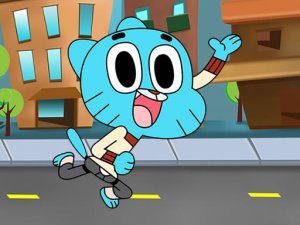
The artwork favors bright colors and friendly animal characters, which keeps the tone light and approachable. There is no timer pressure, no violent imagery, and no mature content. That combination makes the game easy to recommend for households with young children, classrooms, or anyone who wants a calm mental warm-up. The interface works with both mouse and touchscreen, so it plays the same on a desktop browser or a tablet.
Approaches That Help
Scanning the board in a fixed pattern, such as row by row, makes it easier to assign locations to specific animals. Naming each animal silently as you flip it can also reinforce the position. Short breaks between levels tend to reduce careless mismatches. None of these are required to play, but they turn a simple matching exercise into a more deliberate memory drill.
Compatibility
Faq
Player Comments
Sign in to comment
You must be logged in before posting a review or rating.
No comments yet. Be the first to comment!


Editorial Notes